
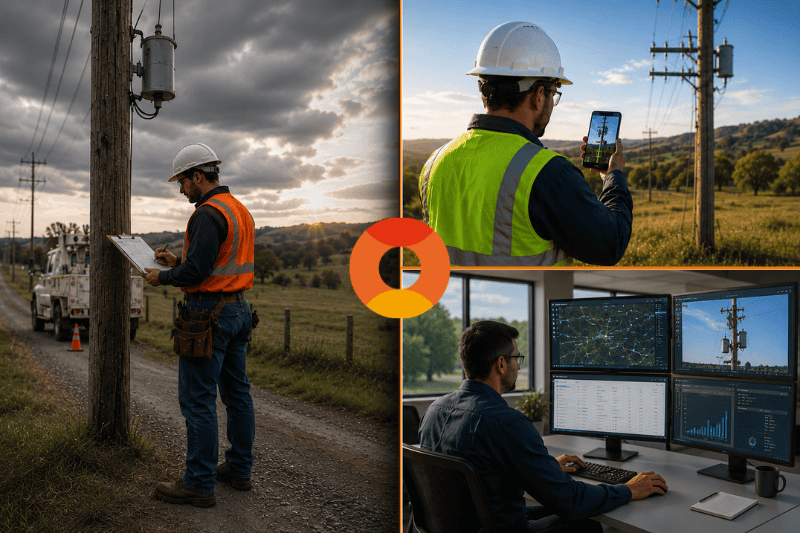
Utility operators managing thousands of pole assets face a growing operational challenge. Inspection volumes are increasing due to aging infrastructure, grid modernization initiatives, and broadband expansion projects, while back-office resources often remain unchanged. The bottleneck is rarely the field crew itself. More often, it is the manual process of moving data from the field into systems that engineers, planners, and asset managers can actually use. Field teams spend valuable time recording notes, organizing photos, and transporting paperwork, while office staff must decipher reports, match records, and manually enter data into GIS and asset management systems. When multiplied across hundreds or thousands of inspections, these inefficiencies create significant overhead, slow decision-making, and increase the risk of costly rework.
Most people look at inspection costs and think about trucks, fuel, and wages. They miss the silent drain of manual data handling. Think about a typical day for a field tech. They drive to a site, measure a pole, write down numbers on a clipboard, take a few photos with a separate camera, and move to the next pole. At the end of the day, they drive back to the yard. Then the real work begins. They have to match photos to pole IDs, type up notes, and hope they did not miss anything.
Now think about the person in the office. They get a folder of forms or a messy spreadsheet. They have to call the tech to ask what a smudged number says. They spend hours entering data into the asset management system. That is two people doing one job poorly. By the time the data is usable, days have passed. And if something was missed, a second truck roll might be needed. The overhead is not inevitable. It is the direct result of steps that add no value and every one of them is removable.
The biggest shift happens when the utility pole data capture app and the office share the same information in real time. A tech stands at the base of a pole and opens the app on an iOS device. They scan the pole using augmented reality. The measurements are captured instantly. They tap a few buttons to note the condition of the wood and hardware. They hit save.
At that exact moment, an engineer back at headquarters sees the new data appear on the map. They can view the scan, check the measurements, and confirm the pole’s status. If something looks off, they can message the tech while the truck is still on site. No phone tag. No driving back the next day. This frictionless workflow is why we say you can end manual data handling and get more done with the same crew.
The results are measurable. In one documented deployment, teams reduced field-to-office workflow costs by more than 60%, driven by eliminating duplicate data entry, manual GIS uploads, and second truck rolls. Rather than adding new layers of technology, the biggest savings came from removing unnecessary steps between field collection and office processing.
At D8Acapture, we focused on making this sync work even when cell service drops. The app stores everything offline and uploads the moment a signal returns. Work in a remote valley or a mountain pass continues without a hitch.
Older inspection tools often need extra hardware. Laser range finders. Calibration targets. Bulky GPS units. All of that gear costs money. It needs batteries. It breaks. And it slows the tech down because they have to juggle multiple devices while walking around a pole.
Our approach uses only an iOS device. The camera and LiDAR sensor do the heavy lifting. There is zero calibration needed. A tech steps out of the truck, opens the app, and starts scanning. The software knows the scale and angle right away. This simplicity is what lets a single technician survey up to 180 poles in a day. That is nearly double what some teams manage with older methods. When you end manual data handling, you also end the need for two-person crews just to hold the dumb end of a tape measure.
There is another benefit to getting clean data fast. It helps asset managers make better choices about where to spend money. When data is weeks old or full of errors, planning is a guessing game. You might replace poles that still have years of life left. Or you might miss a pole that is slowly failing.
With instant, accurate data, you can spot trends. You can see which areas have aging poles and plan replacements during scheduled maintenance windows. You avoid the high cost of emergency repairs.
Paper gets lost. Digital records do not. Every scan and photo taken with the app is geotagged and time stamped. It attaches to a specific pole ID. If a contractor says they inspected Pole 789, you can pull up the proof in seconds. This is helpful for audits. It is also helpful if there is ever a question about liability after a storm or an accident.
Having a clean digital trail gives managers peace of mind. They know the data is real. They know the inspection actually happened. And they can share that proof with regulators or partners without digging through file cabinets. D8Acapture designed this system to give that confidence without adding extra work for the crew.
The push to end manual data handling is not about fancy technology for its own sake. It is about giving field crews and office staff their time back. It is about cutting the waste that comes from double entry, lost forms, and misread handwriting. When you remove those steps, you lower costs. You speed up work. And you get data you can actually use to keep the grid safe and reliable.
For operators evaluating the true cost of their current inspection workflow, the key variables are straightforward: crew time, back-office labor, error rates, and unnecessary truck rolls. D8Acapture is designed to address each of these challenges by streamlining data collection, eliminating duplicate entry, and improving visibility between the field and the office.
To learn more about how the workflow can fit your organization, visit our workflow overview and explore how it maps to your operational needs.
Media Contact